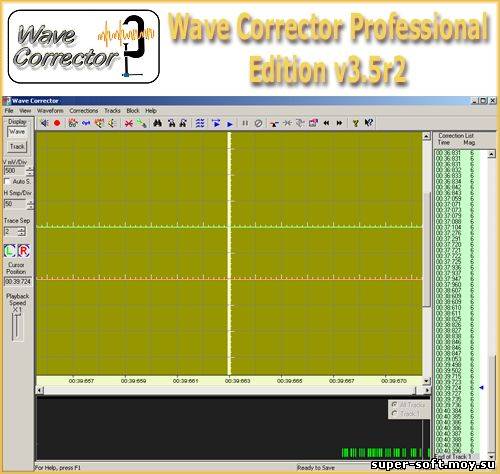
Wave Corrector - программа для ручной корректировки записанного цифрового звука.
Позволяет наиболее эффективно убрать шумы, щелчки, нежелательные звуки
с любой фонограммы, а также "очистить" запись, сделанную с аналогого
носителя (например, с винила). Wave Corrector uses advanced
digital processing to remove noise from old analogue recordings and to
create digital audio files. Files can be transferred to CD or to a
digital library. The program runs on the Microsoft Windows
95/98/ME/NT/2000/XP/Vista platforms and on LINUX under Wine.
See Tutorials for guidance on connecting your record or cassette player to your PC.
De-Click Vinyl Records Wave
Corrector employs sophisticated noise reduction algorithms to remove
many kinds of surface noise including repeating clicks, ticks and
plops. The click eliminator provides accurate audio restoration by
reconstructing the original audio wave from measurements of the phase
and frequency content. In the Professional Edition, individual click
corrections can be manually adjusted to optimise the corrected wave.
De-Hiss A hiss removal option removes background hiss from music cassettes and reel to reel tapes.
Manual and Timed Recordings Direct
recording from within the program allows the material to be placed on
the hard disc where all the other program options are available. The
timer option allows you, for example, to make unattended recordings of
radio broadcasts.
Track Editor This automatically divides the recording into numbered tracks and allows editing of track boundaries.
Fade in/out This
provides for automatic or manual fades at track boundaries. The fade
times can be varied to optimise the start and end of tracks.
Professional Edition - Additional features
The following features are included in the Professional Edition of Wave Corrector:
Correction Editor Audition and edit individual vinyl clicks.
Audio Filters A
range of filters are available to improve sound quality. These include
a rumble filter to remove very low frequencies generated by some
turntables and treble lift and cut to improve the overall sound balance.
Cut and Splice This powerful technique allows unwanted noises (eg a cough by a member of the audience) to be silently removed.
Graphic Equaliser. Use to adjust the frequency response or to remove interfering tones, etc.
Normalise and Channel Balance Recordings can be automatically adjusted for optimum level and balance at any point in the program.


 Главная страница
 Форум
Форум Программы
 Игры
Игры XxX (18+)
 Обратная связь